ChatGPT Atlas stopped working on August 9, 2026. That is not a rumor from a roundup — it is OpenAI's own help center. The standalone browser is deprecated: bookmarks, open tabs, and history did not transfer automatically, and after the cutoff Atlas may no longer open, browse, or run agentic workflows. It will not receive the security maintenance a browser needs, which means anyone still launching it is running abandoned software.
A lot of writing from last winter still treats Atlas as the benchmark every "AI browser" gets compared against. We did that too, in an earlier draft of this page, and it was wrong. Atlas is not a current choice. But the job Atlas was built for did not die with the app — and the most interesting answer to that job right now is not a browser replacement at all.
What actually happened to Atlas
OpenAI announced the shutdown on July 9, 2026 and gave users roughly thirty days to export bookmarks and save open pages. The reasoning, reading between the lines of the help center and the release notes, is that a browser is a feature, not a product. Agentic browsing did not disappear — it was split in two. Deeper agent work moved into the ChatGPT desktop app, which now includes a built-in browser with multiple tabs, downloads, logins, and autofill. Lighter assistance moved into a ChatGPT Chrome extension and sidebar, so you can keep the browser you already live in.
Atlas was not alone. Arc wound down before it. No standalone AI browser has captured meaningful market share, and the reason is not that the idea is bad — it is that switching browsers is one of the most expensive moves you can ask of a user. Your password manager, your SSO sessions, your muscle memory: all of it lives in Chrome. A new Chromium that wants to be your daily driver has to beat all of that at once. Almost nothing does.
The job that did not die with the app
Strip away the "reinvent the browser" framing and the actual job is narrow: an agent needs to open a tab, use a real login, click through a flow, and not hijack the window you are working in. Anyone who has connected Claude Code or Cursor to a browser automation tool knows exactly where this breaks — the login wall. Headless browsers and cloud sessions do not have your cookies. The agent gets to the interesting part of the task and dies at a sign-in page.
There are now four living answers to that job, and they are not the same product.
The ChatGPT desktop app is OpenAI's answer, inside their own product. If the agent you wanted was ChatGPT, use it — this is the supported path off Atlas, and it is the one OpenAI actually maintains. The trade-off is that you stay inside OpenAI's account, plan, and rate limits.
Perplexity Comet is still shipping, and it still wants to be the browser you live in. If you already made that switch, this essay is not for you — you fought the switching-cost battle and won it. Adding another browser on top would be solving a problem you already paid to solve.
Headless cloud browsers are fine for scraping and for agents that do not need to be you. They remain a painful answer for Gmail, GitHub, Linear, and the admin panel behind SSO, because your sessions live on your machine and the cloud box does not have them without a ritual.
A second local browser is the fourth answer, and the one worth understanding if you already have a coding agent you trust.
What BrowserOS neo actually is
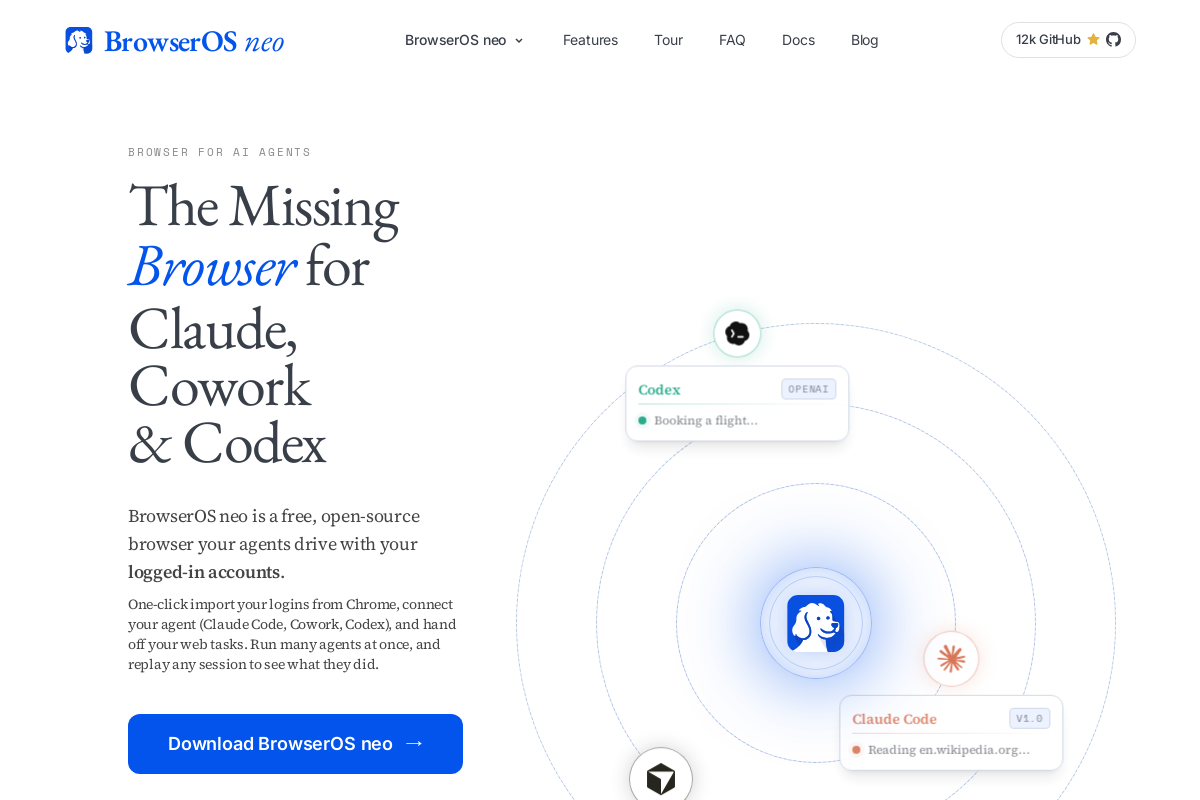
BrowserOS neo is a second Chromium you install next to Chrome, not instead of it. You import your Chrome profile in one click. You connect Claude Code, Cursor, Codex, VS Code, or Zed over MCP from the new-tab page, which doubles as a control board: which agent is running, on which site, for how long. The agent works in its own tabs with your real logins. You keep yours. Sessions record to local files, and you can scrub the replay when something goes sideways. It is free, open source under AGPL, and you bring your own model keys.
We reviewed the public product at browseros.com/agents rather than a week of production use, and the most useful thing on the page is the comparison table. Neo claims what the category graveyard suggests actually matters: it works with the agent you already pay for, it uses your real logins, browsing data stays on your machine, several agents can run at once, and every session can be replayed. Comet and Dia are marked, accurately, as browser replacements. Headless tools are marked as missing logins or missing replay. You can disagree with individual rows; you cannot say the thesis is hidden. The thesis is that the agent needs a browser — you do not need a new one.
The trade-off you should not skip past
Be clear-eyed about what this design means: you are handing an agent a browser profile with your real cookies in it. That is the entire value — it is why the agent stops dying at login walls — and it is the entire risk. An agent with your Gmail session can read your email. An agent with your GitHub session can push code. Neo's answer is visibility (watch live, replay later) and locality (nothing leaves your disk), which is a better posture than any cloud alternative offers. It is still not a reason to hand over a banking session on day one.
Start with a bounded chore: triage a repository's issues, fill out a form you would have procrastinated on, collect quotes from three vendor sites. Watch the replay. Decide from evidence, not from a comparison table — including ours.
Who should install it — and who should not
If you wanted ChatGPT to research from inside a browser, use the ChatGPT desktop app; that is what OpenAI is maintaining. If Comet is your daily driver, stay there. If you are not comfortable giving an agent real sessions, no browser fixes that, and you should keep using headless tools for anonymous work.
But if Claude Code or Cursor is already doing real work for you and keeps hitting login walls, a second browser profile is the correct primitive — not a smarter address bar, not a cloud browser that does not know who you are. A spare window with your sessions, a cockpit to watch it, and a recording for when it does something stupid.
And if you are still launching Atlas: stop. Export your bookmarks if the app still opens, move to the desktop app or the Chrome extension, and then decide whether your other agent deserves a window of its own.