The default move is still to feed the clip to a chatbot. Drop the file into ChatGPT or Gemini, ask what is in it, get a paragraph back. For a single screen recording, it works. As a way to run an archive, it is quietly terrible — and if you produce video for a living, the archive is the actual problem.
Why chatbots make bad video libraries
Count what the upload costs you. You wait on the transfer, every time, because the model does not remember yesterday's file. You hit context limits the moment the footage is longer than a highlight reel. You lose the original timecode, so even a correct answer — "the car passes the camera about two-thirds in" — is not something you can cut on. And you have now stored a client's raw footage on someone else's servers to answer a question about your own disk.
Then tomorrow you do it all again, because a chat is not a catalog. The model kept a conversation; you needed a library.
A library is a different object with different requirements. It has to live next to the files. It has to survive offline. It has to return a frame number, not a description. And it has to search the whole archive, not the one clip you guessed might contain the shot. Most of the "AI video" market is still selling the upload with better copy. The interesting products are the ones that admit your files are already on a disk you own — and that the disk is too big to upload.
How Clipto works instead
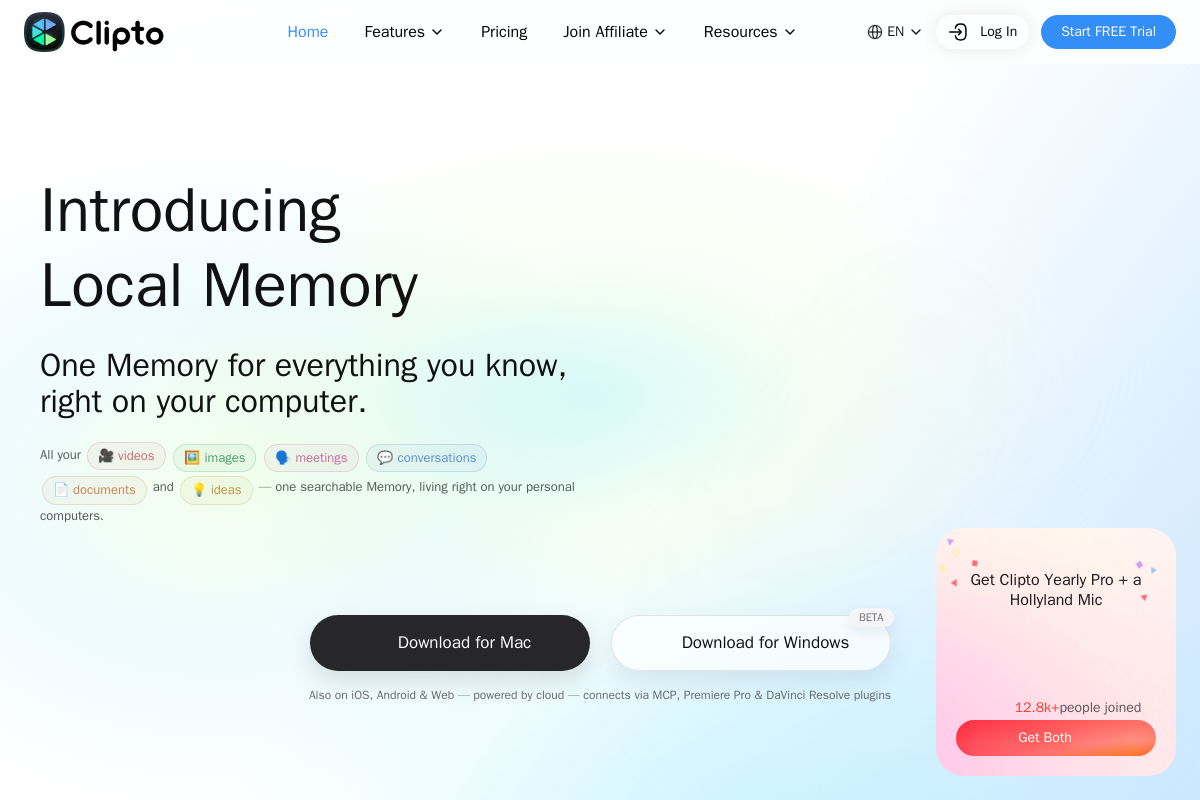
Clipto starts from that admission. It indexes video, photos, meetings, voice memos, and documents on your machine, tagging scenes, faces, and dialogue on-device. You ask for a moment — by what is on screen or what was said — and you get a timestamp plus a door back into the original file. "Where is the shot where the car goes around the bend" comes back as a frame you can cut on.
The part that will age well is who else can ask. Through an MCP server, Claude, ChatGPT, and Cursor can query the same index; Premiere Pro and DaVinci Resolve get plugins for editors who will never open a chat window to find a shot. Access is scoped: you approve folders, and an agent receives structured hits from those folders — not your whole disk, and not the source media, which does not leave your machine by default. That is the opposite of pasting footage into a context window and hoping the model is having a good day.
The costs it admits to
We reviewed the homepage, the MCP documentation, and the system requirements — we have not indexed a multi-terabyte archive ourselves, and we are not going to bury that fact under adjectives. What we can verify is that Clipto names its own costs, which almost nothing in this category does.
It wants a real machine: Apple silicon with 16 GB of RAM, or a Windows box with 12 GB. It wants time: the first index of a large library runs many hours. And its mobile and web apps are cloud-based — a genuinely different product wearing the same name, which the company says out loud instead of blurring into one marketing sentence. Read the hardware line before you download anything. It is not a disclaimer; it is the product.
When the chatbot is still the right tool
Multimodal ChatGPT and Gemini remain the right choice when the clip is in front of you and you need a sentence: a rough transcript, a description, a first-pass caption. Use them for the clip. Do not use them for the archive — they do not live next to your files, they do not owe you a frame number, and they stop working the moment the upload is the bottleneck.
Frame.io search is the right tool if your footage already lives there and your team already searches there. A local index is not a reason to drag a working review pipeline back onto a laptop. Clipto is for the library that never left the disk — or the disk that is the only place the selects still exist in a form an editor can use.
Who should install it this week
Install it if you have drives of footage you cannot upload and questions that start with "where is the shot where…" Install it if Claude or Cursor is already part of your edit and you want the agent asking a library instead of a folder listing. Install it if you can leave a machine indexing overnight and you have the RAM it asks for.
Skip it if your archive lives happily in a DAM that searches. Skip it on an 8 GB laptop. Do not install it because "AI memory" became a category this year, and do not mistake the iPhone app for a trial of the desktop index — the company itself tells you they are different products.
The rest of the market will keep asking you to upload the clip, and that will keep working for the clip. It will keep failing for the archive. The tools worth your attention are the ones that know the difference.